

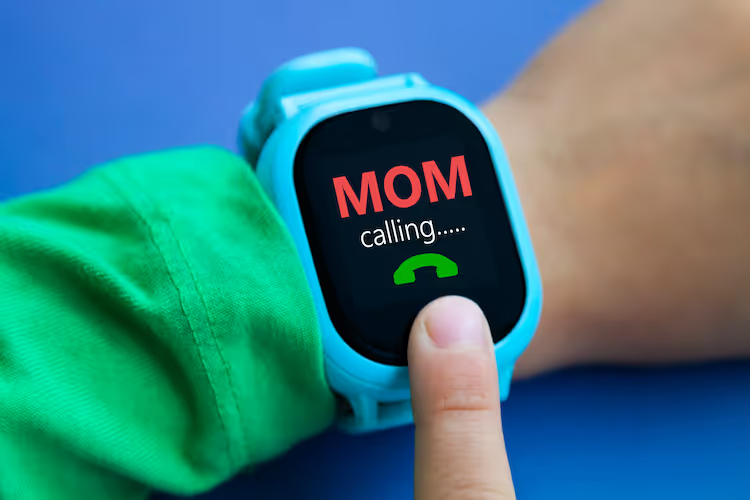

With the holidays coming, you might be thinking about buying your kid a phone. I wanted you to know that If you choose to give your child a smartphone, or they have one, most can be customized to limit its functions. The browsers on most smartphones, including the iPhone, are simply apps. You can delete the Safari App or the Chrome App, etc. In addition, you can put parental controls on it so that they are required to get your permission to add any apps to their phone, and you can set time limits. On an iPhone, you can also go to the parental control settings and disable any third-party or built-in app, including the browsers. Then, set the phone to require a passcode to change or add access to apps.
That said, many parents prefer that their children have non-smartphones. The New York Time’s gadget blog, Wirecutter, recently reviewed what they call “The Best Smart Watches and Phones For Kids.” Today, I include some reviews of non-smartphones and some experiences and recommendations from other parents.


Learn more about showing our movies in your school or community!
Join Screenagers filmmaker Delaney Ruston MD for our latest Podcast

Learn more about our Screen-Free Sleep campaign at the website!
Our movie made for parents and educators of younger kids
Learn more about showing our movies in your school or community!
Register your interest in bringing our new movie to your school or community
Kathleen B.
“We eliminated our tween’s iPhone and replaced it with a Gabb phone. Zero complaints! It was easy for her to mindlessly scroll Pinterest while awaiting a text reply from friends, and that’s no longer an option. It’s helping her learn to self-regulate screen time and eliminates the temptation to get sucked into apps and trends. This generation will stare at screens their entire lives. For now, a phone is needed for communication purposes only.”
Jennifer C.
“...we have my teen with a Gabb, but now will be switching to Troomi phone. A little bit more options as they grow but controlled by the parent app…”
Kristina C.
“Gabb wireless is a great option. My kids both have them. It looks like a smartphone. My kids are 15 and 18, my older son has the second level, that one enables you to group text and text photos. My youngest has the first level, talk, and text, one person at a time. You can take photos, but there is no way to share photos from the phone without downloading them first. There is NO app store. The only annoying thing is the boys would both like a notes app of some kind.”
Lynn P.
“Just got my almost 17 yo Gabb phone (dumb phone), and is going great, honestly! At night he gets like an hour at home on his old iPhone (on wifi), but overall, we’ve reduced screen time a lot! Reads books for an hour before bed every weeknight!”
Kristina T.
I have one 13 yr old much happier with her flip phone. And my 14 yr old wants a flip phone. The only thing I like about smartphones is being able to have life 360 [an app that allows GPS tracking]
Tinna M.
“ ...our 12-year-old is very happy with her flip phone! She is on my parent's Consumer Cellular plan. They keep it simple for older customers, and that works great for kids too.”
Learn more about showing our movies in your school or community!
Join Screenagers filmmaker Delaney Ruston MD for our latest Podcast
Learn more about our Screen-Free Sleep campaign at the website!
Our movie made for parents and educators of younger kids
Join Screenagers filmmaker Delaney Ruston MD for our latest Podcast
Register your interest in bringing our new movie to your school or community

As we’re about to celebrate 10 years of Screenagers, we want to hear what’s been most helpful and what you’d like to see next.
Please click here to share your thoughts with us in our community survey. It only takes 5–10 minutes, and everyone who completes it will be entered to win one of five $50 Amazon vouchers.
With the holidays coming, you might be thinking about buying your kid a phone. I wanted you to know that If you choose to give your child a smartphone, or they have one, most can be customized to limit its functions. The browsers on most smartphones, including the iPhone, are simply apps. You can delete the Safari App or the Chrome App, etc. In addition, you can put parental controls on it so that they are required to get your permission to add any apps to their phone, and you can set time limits. On an iPhone, you can also go to the parental control settings and disable any third-party or built-in app, including the browsers. Then, set the phone to require a passcode to change or add access to apps.
That said, many parents prefer that their children have non-smartphones. The New York Time’s gadget blog, Wirecutter, recently reviewed what they call “The Best Smart Watches and Phones For Kids.” Today, I include some reviews of non-smartphones and some experiences and recommendations from other parents.
Kathleen B.
“We eliminated our tween’s iPhone and replaced it with a Gabb phone. Zero complaints! It was easy for her to mindlessly scroll Pinterest while awaiting a text reply from friends, and that’s no longer an option. It’s helping her learn to self-regulate screen time and eliminates the temptation to get sucked into apps and trends. This generation will stare at screens their entire lives. For now, a phone is needed for communication purposes only.”
Jennifer C.
“...we have my teen with a Gabb, but now will be switching to Troomi phone. A little bit more options as they grow but controlled by the parent app…”
Kristina C.
“Gabb wireless is a great option. My kids both have them. It looks like a smartphone. My kids are 15 and 18, my older son has the second level, that one enables you to group text and text photos. My youngest has the first level, talk, and text, one person at a time. You can take photos, but there is no way to share photos from the phone without downloading them first. There is NO app store. The only annoying thing is the boys would both like a notes app of some kind.”
Lynn P.
“Just got my almost 17 yo Gabb phone (dumb phone), and is going great, honestly! At night he gets like an hour at home on his old iPhone (on wifi), but overall, we’ve reduced screen time a lot! Reads books for an hour before bed every weeknight!”
Kristina T.
I have one 13 yr old much happier with her flip phone. And my 14 yr old wants a flip phone. The only thing I like about smartphones is being able to have life 360 [an app that allows GPS tracking]
Tinna M.
“ ...our 12-year-old is very happy with her flip phone! She is on my parent's Consumer Cellular plan. They keep it simple for older customers, and that works great for kids too.”
Sign up here to receive the weekly Tech Talk Tuesdays newsletter from Screenagers filmmaker Delaney Ruston MD.
We respect your privacy.
With the holidays coming, you might be thinking about buying your kid a phone. I wanted you to know that If you choose to give your child a smartphone, or they have one, most can be customized to limit its functions. The browsers on most smartphones, including the iPhone, are simply apps. You can delete the Safari App or the Chrome App, etc. In addition, you can put parental controls on it so that they are required to get your permission to add any apps to their phone, and you can set time limits. On an iPhone, you can also go to the parental control settings and disable any third-party or built-in app, including the browsers. Then, set the phone to require a passcode to change or add access to apps.
That said, many parents prefer that their children have non-smartphones. The New York Time’s gadget blog, Wirecutter, recently reviewed what they call “The Best Smart Watches and Phones For Kids.” Today, I include some reviews of non-smartphones and some experiences and recommendations from other parents.
I've been noticing the ways I can be rude, in person and on my phone. This week I share two recent examples of my own, plus why correcting myself out loud strengthens self-awareness. The talk that follows isn't about your kid. It's about you going first.
READ MORE >
An Oakland library has started lending out sports equipment and games alongside books, so families can borrow gear to use at nearby parks. It is a reminder that borrowing and lending between families is a simple way to fill a summer afternoon without a screen, while quietly modelling generosity and humility. We are out of practice at asking, but the person on the other end is usually glad to help.
READ MORE >
E-readers are convenient, but there are three reasons to lean toward paper books this summer. First, e-readers are screens, and the pull of everything else you could do on one makes it harder to stay immersed. Second, a large meta-analysis found people understand and remember slightly better on paper, especially with longer texts. Third, easy access to endless book samples makes it too tempting to jump ship rather than work through the slower parts, since reading, unlike TikTok, is about delayed gratification.
READ MORE >for more like this, DR. DELANEY RUSTON'S NEW BOOK, PARENTING IN THE SCREEN AGE, IS THE DEFINITIVE GUIDE FOR TODAY’S PARENTS. WITH INSIGHTS ON SCREEN TIME FROM RESEARCHERS, INPUT FROM KIDS & TEENS, THIS BOOK IS PACKED WITH SOLUTIONS FOR HOW TO START AND SUSTAIN PRODUCTIVE FAMILY TALKS ABOUT TECHNOLOGY AND IT’S IMPACT ON OUR MENTAL WELLBEING.