


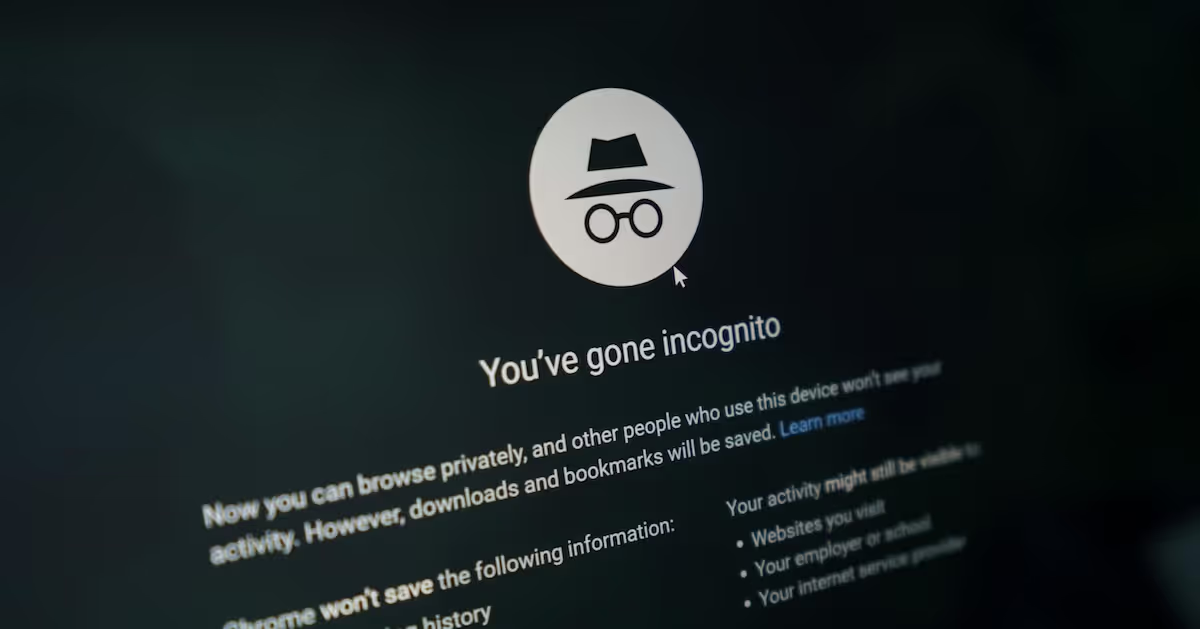

I've noticed a lot of confusion in my conversations with adults and teens about using incognito mode. Many don't realize that, even in incognito mode, the websites they visit can still track their activity and show them ads related to what they did during that session.
If you are unfamiliar with Incognito mode, let me explain it. Apple introduced it in 2005, and soon after, all search engines adopted it. In Incognito mode, you can browse without being seen. This means that none of what you look up will get saved in your browser history, on-site cookies, or device.
Kids and teens may have many reasons for using incognito mode, such as searching for edgy, sexy, or violent content. They may have questions they are embarrassed about or want information on how to get illicit substances, like vapes and weed, anyone knowing.
Why am I writing about this old technology?
Even though it’s more than 15 years old, the technology allows youth avenues to get involved with things that could get them in trouble. Privacy is important, especially if we want kids to learn to be independent and make good choices. That is why having ongoing conversations about it with youth is important. We want the conversation about online safety to be open and flowing, not turn into a cat-and-mouse game of hide-and-seek around their online behaviors.
Discussions like these also let kids know that you know about incognito, can help dispel myths, or allow them to open up so you can answer questions about things they may otherwise want to keep to themselves.


Learn more about showing our movies in your school or community!
Join Screenagers filmmaker Delaney Ruston MD for our latest Podcast

Learn more about our Screen-Free Sleep campaign at the website!
Our movie made for parents and educators of younger kids
Learn more about showing our movies in your school or community!
Register your interest in bringing our new movie to your school or community
Parents can use Google Family Link, which will automatically disable Incognito Mode for kids under 13 and Supervised accounts.
Monitoring services like Bark can help you manage your child’s search history if they are using Incognito. Before you set the dogs on them, have a conversation about your expectations. Let your child know how to stay safe online and that they can come to you with any questions.
Learn more about showing our movies in your school or community!
Join Screenagers filmmaker Delaney Ruston MD for our latest Podcast
Learn more about our Screen-Free Sleep campaign at the website!
Our movie made for parents and educators of younger kids
Join Screenagers filmmaker Delaney Ruston MD for our latest Podcast
Register your interest in bringing our new movie to your school or community
With new videos posted every Tuesday and Friday, be sure to subscribe to our YouTube Channel! Here's our latest videos!

As we’re about to celebrate 10 years of Screenagers, we want to hear what’s been most helpful and what you’d like to see next.
Please click here to share your thoughts with us in our community survey. It only takes 5–10 minutes, and everyone who completes it will be entered to win one of five $50 Amazon vouchers.
I've noticed a lot of confusion in my conversations with adults and teens about using incognito mode. Many don't realize that, even in incognito mode, the websites they visit can still track their activity and show them ads related to what they did during that session.
If you are unfamiliar with Incognito mode, let me explain it. Apple introduced it in 2005, and soon after, all search engines adopted it. In Incognito mode, you can browse without being seen. This means that none of what you look up will get saved in your browser history, on-site cookies, or device.
Kids and teens may have many reasons for using incognito mode, such as searching for edgy, sexy, or violent content. They may have questions they are embarrassed about or want information on how to get illicit substances, like vapes and weed, anyone knowing.
Why am I writing about this old technology?
Even though it’s more than 15 years old, the technology allows youth avenues to get involved with things that could get them in trouble. Privacy is important, especially if we want kids to learn to be independent and make good choices. That is why having ongoing conversations about it with youth is important. We want the conversation about online safety to be open and flowing, not turn into a cat-and-mouse game of hide-and-seek around their online behaviors.
Discussions like these also let kids know that you know about incognito, can help dispel myths, or allow them to open up so you can answer questions about things they may otherwise want to keep to themselves.
Parents can use Google Family Link, which will automatically disable Incognito Mode for kids under 13 and Supervised accounts.
Monitoring services like Bark can help you manage your child’s search history if they are using Incognito. Before you set the dogs on them, have a conversation about your expectations. Let your child know how to stay safe online and that they can come to you with any questions.
With new videos posted every Tuesday and Friday, be sure to subscribe to our YouTube Channel! Here's our latest videos!
Sign up here to receive the weekly Tech Talk Tuesdays newsletter from Screenagers filmmaker Delaney Ruston MD.
We respect your privacy.
I've noticed a lot of confusion in my conversations with adults and teens about using incognito mode. Many don't realize that, even in incognito mode, the websites they visit can still track their activity and show them ads related to what they did during that session.
If you are unfamiliar with Incognito mode, let me explain it. Apple introduced it in 2005, and soon after, all search engines adopted it. In Incognito mode, you can browse without being seen. This means that none of what you look up will get saved in your browser history, on-site cookies, or device.
Kids and teens may have many reasons for using incognito mode, such as searching for edgy, sexy, or violent content. They may have questions they are embarrassed about or want information on how to get illicit substances, like vapes and weed, anyone knowing.
Why am I writing about this old technology?
Even though it’s more than 15 years old, the technology allows youth avenues to get involved with things that could get them in trouble. Privacy is important, especially if we want kids to learn to be independent and make good choices. That is why having ongoing conversations about it with youth is important. We want the conversation about online safety to be open and flowing, not turn into a cat-and-mouse game of hide-and-seek around their online behaviors.
Discussions like these also let kids know that you know about incognito, can help dispel myths, or allow them to open up so you can answer questions about things they may otherwise want to keep to themselves.

I've been noticing the ways I can be rude, in person and on my phone. This week I share two recent examples of my own, plus why correcting myself out loud strengthens self-awareness. The talk that follows isn't about your kid. It's about you going first.
READ MORE >
An Oakland library has started lending out sports equipment and games alongside books, so families can borrow gear to use at nearby parks. It is a reminder that borrowing and lending between families is a simple way to fill a summer afternoon without a screen, while quietly modelling generosity and humility. We are out of practice at asking, but the person on the other end is usually glad to help.
READ MORE >
E-readers are convenient, but there are three reasons to lean toward paper books this summer. First, e-readers are screens, and the pull of everything else you could do on one makes it harder to stay immersed. Second, a large meta-analysis found people understand and remember slightly better on paper, especially with longer texts. Third, easy access to endless book samples makes it too tempting to jump ship rather than work through the slower parts, since reading, unlike TikTok, is about delayed gratification.
READ MORE >for more like this, DR. DELANEY RUSTON'S NEW BOOK, PARENTING IN THE SCREEN AGE, IS THE DEFINITIVE GUIDE FOR TODAY’S PARENTS. WITH INSIGHTS ON SCREEN TIME FROM RESEARCHERS, INPUT FROM KIDS & TEENS, THIS BOOK IS PACKED WITH SOLUTIONS FOR HOW TO START AND SUSTAIN PRODUCTIVE FAMILY TALKS ABOUT TECHNOLOGY AND IT’S IMPACT ON OUR MENTAL WELLBEING.