


If you read last week’s TTT, you know that I am doing four weeks of gentle strategies to make tech time more manageable in our homes for 2022. I had already planned for this week's topic to be about managing cellphone time — including hearing from a young adult and a psychologist.
And then, just by chance, Saturday morning, at about 4 AM, there was a noise in my house.
I heard the floorboards creak and thought it was my husband and daughter getting ready to go to the mountains for the day. I heard the front door shut loudly and figured they had left. I fell back asleep.
Sometime later, I heard the floor creaking again. I yelled out, “Peter, Peter, are you still here?!” He replied, “Yeah, we haven’t left yet.”
“Hmmm,” I thought to myself, “...that’s strange, maybe Peter had gone outside for some reason in the early morning.”
Soon, I heard Tessa asking, “Hey has anyone seen my phone?”
“No,” I responded, half asleep.
Later I heard, “Ahhhh, my phone is in downtown Seattle!”
Tessa had used the “Find My” app and realized her phone had been stolen. The phone was not turned off, so she could see its location.
It turns out that someone had entered our front door, walked up the stairs, saw Tessa’s phone charging outside her bedroom, and picked it up. Then they opened her bedroom door.
Tessa said she remembered her door opening and seeing a dark silhouette and thought it was her dad. She said, “Dad?” and then just went back to bed.
I imagine the robber left right then.
We are so fortunate that nothing happened and that we’re all safe!
Meanwhile, the only thing they took was Tessa’s cellphone.
And how did the person get in the house? Sadly my husband and I thought the other one had double-checked the front door to make sure it was locked. We are both normally very compulsive about this. But, alas, it was unlocked for some reason, and we didn’t catch it.
The kindest policeman came over, and we ended up talking for a long time. We talked about crime prevention, drug addiction, and then he shared with me the stories of the tragic deaths of not one but two of his nephews to drugs.
And about the phone? Well, all through the day, we could see the location, but police don’t generally go after phones because the radius is too wide.
The main thing I have done is tell all my neighbors and friends nearby about what happened as a reminder about locking doors (duh, I know!).
The wild fact that the only thing they took was our teen’s phone hit me later that day. I could see a scene play out in a movie where parents become so frustrated by their teen’s phone use that they hire someone to break in and steal the phone.
All kidding aside, let me share other ways to address phone time that does not involve the awful scenario of having robbers enter one’s home in the dead of night — which is, of course, super unsettling and not at all a laughing situation.


Learn more about showing our movies in your school or community!
Join Screenagers filmmaker Delaney Ruston MD for our latest Podcast

Learn more about our Screen-Free Sleep campaign at the website!
Our movie made for parents and educators of younger kids
Learn more about showing our movies in your school or community!
Register your interest in bringing our new movie to your school or community
First, I want to share how one young man, Aaron, who recently graduated from college, uses tech to help regulate his tech use. Here is what he explained to me.
Aaron:
“I put a time limit on Instagram because I was noticing that I was spending way too many hours on it via my Screen Time app. I didn't want to quit altogether because I still enjoy the social aspect, but I wanted to set a boundary for myself and then also follow that boundary.
So once I set the limit in Screen Time under settings, Instagram will warn me when I have five minutes left. And then, when I hit that 30-minute mark, the screen will pop up and block the app. It will ask if I want to ignore the block and gives me amounts of times I can extend being on Instagram.
I've done a pretty good job of not extending it. I do this by asking myself, ‘Do I need to be on Instagram right now? Is it useful time, or just killing time?’
Once the Instagram app is locked, it will gray out, and that helps me not notice it anymore. I've really enjoyed the Screen Time feature.”
I so appreciated Aaron sharing this, and I love the line he said, “Is it useful time, or just killing time?” *In both Screenagers and Screenagers NEXT CHAPTER, teens talk about strategies they use with tech, and young people who see the film so often tell me how helpful it is for them to hear these things from other young people like them.
Learn more about showing our movies in your school or community!
Join Screenagers filmmaker Delaney Ruston MD for our latest Podcast
Learn more about our Screen-Free Sleep campaign at the website!
Our movie made for parents and educators of younger kids
Join Screenagers filmmaker Delaney Ruston MD for our latest Podcast
Register your interest in bringing our new movie to your school or community
Pletter has two short videos (Part 1 and Part 2) that are excellent at explaining how to use the Screen Time app on iPhones to put parameters on cellphone use for your kids or teens. *Recent data shows that nearly 90% of young people in this country who own cellphones have iPhones.
Even if you are already using Screen Time, he has some good ideas in the videos worth watching. For example, he talks about if, as parents, allow an app for an older sibling and not the younger ones, the younger one might still be able to access the app because the kids are linked via Family Sharing. He explains how to fix this at 6:50 minute in Part 2.
Pletter believes there is a lot of value in blockers because it means that kids need to come to parents to talk about getting more time. This helps the kids in many ways. For instance, it helps them develop a better sense of time on devices as well as keeps a dialogue happening with youth and parents about screen time.
Now, of course, for some parents, the idea of all this checking in/ asking/ whining might not feel like a good option. The point in all my work is to offer strategies for you to consider trying. It is all about an experimental mindset, and girl, having an experimental mindset has sure the heck helped me over the years!
I hope some of this was useful, and please, please, lock your doors and stay safe.

As we’re about to celebrate 10 years of Screenagers, we want to hear what’s been most helpful and what you’d like to see next.
Please click here to share your thoughts with us in our community survey. It only takes 5–10 minutes, and everyone who completes it will be entered to win one of five $50 Amazon vouchers.
If you read last week’s TTT, you know that I am doing four weeks of gentle strategies to make tech time more manageable in our homes for 2022. I had already planned for this week's topic to be about managing cellphone time — including hearing from a young adult and a psychologist.
And then, just by chance, Saturday morning, at about 4 AM, there was a noise in my house.
I heard the floorboards creak and thought it was my husband and daughter getting ready to go to the mountains for the day. I heard the front door shut loudly and figured they had left. I fell back asleep.
Sometime later, I heard the floor creaking again. I yelled out, “Peter, Peter, are you still here?!” He replied, “Yeah, we haven’t left yet.”
“Hmmm,” I thought to myself, “...that’s strange, maybe Peter had gone outside for some reason in the early morning.”
Soon, I heard Tessa asking, “Hey has anyone seen my phone?”
“No,” I responded, half asleep.
Later I heard, “Ahhhh, my phone is in downtown Seattle!”
Tessa had used the “Find My” app and realized her phone had been stolen. The phone was not turned off, so she could see its location.
It turns out that someone had entered our front door, walked up the stairs, saw Tessa’s phone charging outside her bedroom, and picked it up. Then they opened her bedroom door.
Tessa said she remembered her door opening and seeing a dark silhouette and thought it was her dad. She said, “Dad?” and then just went back to bed.
I imagine the robber left right then.
We are so fortunate that nothing happened and that we’re all safe!
Meanwhile, the only thing they took was Tessa’s cellphone.
And how did the person get in the house? Sadly my husband and I thought the other one had double-checked the front door to make sure it was locked. We are both normally very compulsive about this. But, alas, it was unlocked for some reason, and we didn’t catch it.
The kindest policeman came over, and we ended up talking for a long time. We talked about crime prevention, drug addiction, and then he shared with me the stories of the tragic deaths of not one but two of his nephews to drugs.
And about the phone? Well, all through the day, we could see the location, but police don’t generally go after phones because the radius is too wide.
The main thing I have done is tell all my neighbors and friends nearby about what happened as a reminder about locking doors (duh, I know!).
The wild fact that the only thing they took was our teen’s phone hit me later that day. I could see a scene play out in a movie where parents become so frustrated by their teen’s phone use that they hire someone to break in and steal the phone.
All kidding aside, let me share other ways to address phone time that does not involve the awful scenario of having robbers enter one’s home in the dead of night — which is, of course, super unsettling and not at all a laughing situation.
First, I want to share how one young man, Aaron, who recently graduated from college, uses tech to help regulate his tech use. Here is what he explained to me.
Aaron:
“I put a time limit on Instagram because I was noticing that I was spending way too many hours on it via my Screen Time app. I didn't want to quit altogether because I still enjoy the social aspect, but I wanted to set a boundary for myself and then also follow that boundary.
So once I set the limit in Screen Time under settings, Instagram will warn me when I have five minutes left. And then, when I hit that 30-minute mark, the screen will pop up and block the app. It will ask if I want to ignore the block and gives me amounts of times I can extend being on Instagram.
I've done a pretty good job of not extending it. I do this by asking myself, ‘Do I need to be on Instagram right now? Is it useful time, or just killing time?’
Once the Instagram app is locked, it will gray out, and that helps me not notice it anymore. I've really enjoyed the Screen Time feature.”
I so appreciated Aaron sharing this, and I love the line he said, “Is it useful time, or just killing time?” *In both Screenagers and Screenagers NEXT CHAPTER, teens talk about strategies they use with tech, and young people who see the film so often tell me how helpful it is for them to hear these things from other young people like them.
Pletter has two short videos (Part 1 and Part 2) that are excellent at explaining how to use the Screen Time app on iPhones to put parameters on cellphone use for your kids or teens. *Recent data shows that nearly 90% of young people in this country who own cellphones have iPhones.
Even if you are already using Screen Time, he has some good ideas in the videos worth watching. For example, he talks about if, as parents, allow an app for an older sibling and not the younger ones, the younger one might still be able to access the app because the kids are linked via Family Sharing. He explains how to fix this at 6:50 minute in Part 2.
Pletter believes there is a lot of value in blockers because it means that kids need to come to parents to talk about getting more time. This helps the kids in many ways. For instance, it helps them develop a better sense of time on devices as well as keeps a dialogue happening with youth and parents about screen time.
Now, of course, for some parents, the idea of all this checking in/ asking/ whining might not feel like a good option. The point in all my work is to offer strategies for you to consider trying. It is all about an experimental mindset, and girl, having an experimental mindset has sure the heck helped me over the years!
I hope some of this was useful, and please, please, lock your doors and stay safe.
Sign up here to receive the weekly Tech Talk Tuesdays newsletter from Screenagers filmmaker Delaney Ruston MD.
We respect your privacy.
If you read last week’s TTT, you know that I am doing four weeks of gentle strategies to make tech time more manageable in our homes for 2022. I had already planned for this week's topic to be about managing cellphone time — including hearing from a young adult and a psychologist.
And then, just by chance, Saturday morning, at about 4 AM, there was a noise in my house.
I heard the floorboards creak and thought it was my husband and daughter getting ready to go to the mountains for the day. I heard the front door shut loudly and figured they had left. I fell back asleep.
Sometime later, I heard the floor creaking again. I yelled out, “Peter, Peter, are you still here?!” He replied, “Yeah, we haven’t left yet.”
“Hmmm,” I thought to myself, “...that’s strange, maybe Peter had gone outside for some reason in the early morning.”
Soon, I heard Tessa asking, “Hey has anyone seen my phone?”
“No,” I responded, half asleep.
Later I heard, “Ahhhh, my phone is in downtown Seattle!”
Tessa had used the “Find My” app and realized her phone had been stolen. The phone was not turned off, so she could see its location.
It turns out that someone had entered our front door, walked up the stairs, saw Tessa’s phone charging outside her bedroom, and picked it up. Then they opened her bedroom door.
Tessa said she remembered her door opening and seeing a dark silhouette and thought it was her dad. She said, “Dad?” and then just went back to bed.
I imagine the robber left right then.
We are so fortunate that nothing happened and that we’re all safe!
Meanwhile, the only thing they took was Tessa’s cellphone.
And how did the person get in the house? Sadly my husband and I thought the other one had double-checked the front door to make sure it was locked. We are both normally very compulsive about this. But, alas, it was unlocked for some reason, and we didn’t catch it.
The kindest policeman came over, and we ended up talking for a long time. We talked about crime prevention, drug addiction, and then he shared with me the stories of the tragic deaths of not one but two of his nephews to drugs.
And about the phone? Well, all through the day, we could see the location, but police don’t generally go after phones because the radius is too wide.
The main thing I have done is tell all my neighbors and friends nearby about what happened as a reminder about locking doors (duh, I know!).
The wild fact that the only thing they took was our teen’s phone hit me later that day. I could see a scene play out in a movie where parents become so frustrated by their teen’s phone use that they hire someone to break in and steal the phone.
All kidding aside, let me share other ways to address phone time that does not involve the awful scenario of having robbers enter one’s home in the dead of night — which is, of course, super unsettling and not at all a laughing situation.
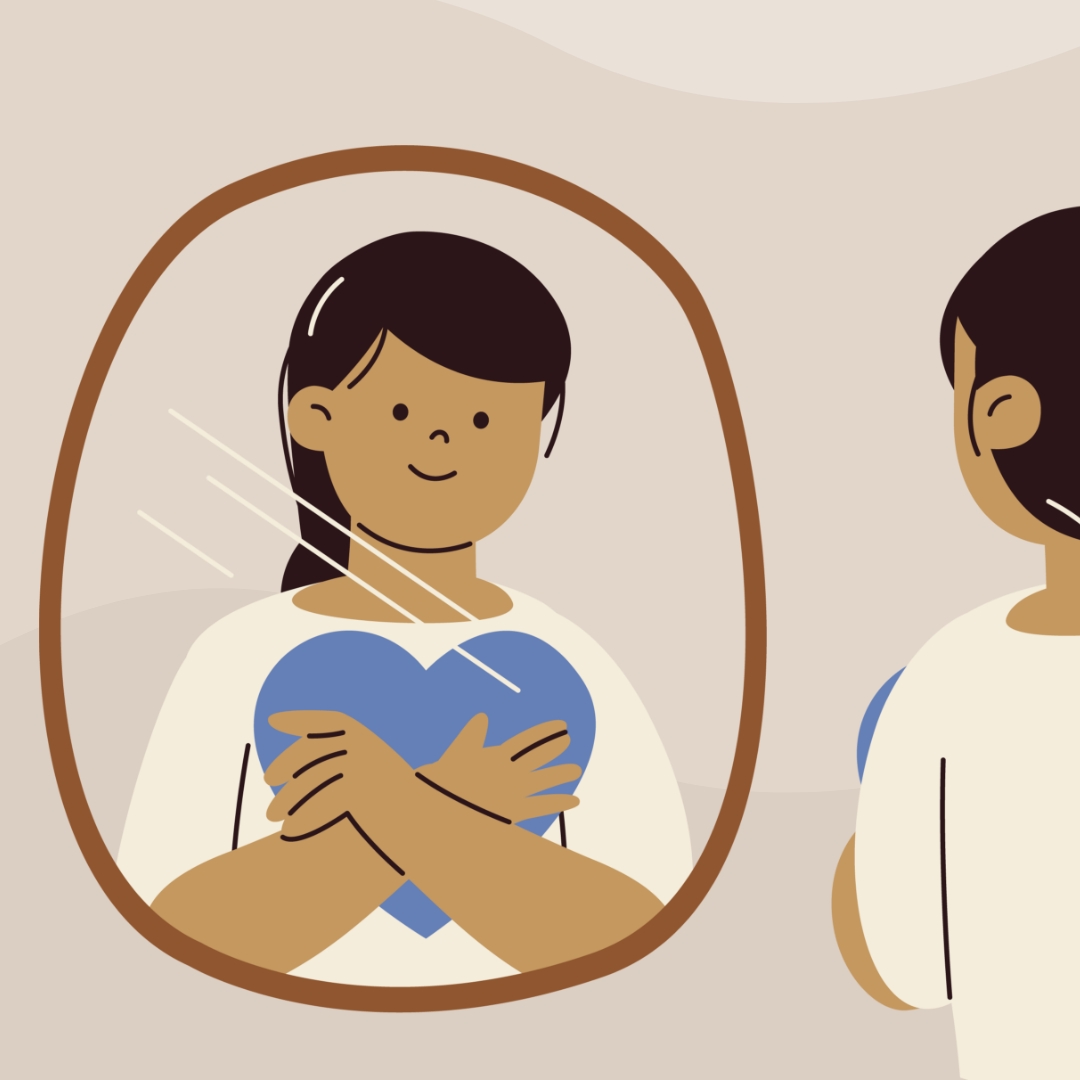
I've been noticing the ways I can be rude, in person and on my phone. This week I share two recent examples of my own, plus why correcting myself out loud strengthens self-awareness. The talk that follows isn't about your kid. It's about you going first.
READ MORE >
An Oakland library has started lending out sports equipment and games alongside books, so families can borrow gear to use at nearby parks. It is a reminder that borrowing and lending between families is a simple way to fill a summer afternoon without a screen, while quietly modelling generosity and humility. We are out of practice at asking, but the person on the other end is usually glad to help.
READ MORE >
E-readers are convenient, but there are three reasons to lean toward paper books this summer. First, e-readers are screens, and the pull of everything else you could do on one makes it harder to stay immersed. Second, a large meta-analysis found people understand and remember slightly better on paper, especially with longer texts. Third, easy access to endless book samples makes it too tempting to jump ship rather than work through the slower parts, since reading, unlike TikTok, is about delayed gratification.
READ MORE >for more like this, DR. DELANEY RUSTON'S NEW BOOK, PARENTING IN THE SCREEN AGE, IS THE DEFINITIVE GUIDE FOR TODAY’S PARENTS. WITH INSIGHTS ON SCREEN TIME FROM RESEARCHERS, INPUT FROM KIDS & TEENS, THIS BOOK IS PACKED WITH SOLUTIONS FOR HOW TO START AND SUSTAIN PRODUCTIVE FAMILY TALKS ABOUT TECHNOLOGY AND IT’S IMPACT ON OUR MENTAL WELLBEING.